
Blocksworld on PC: Build 3D Worlds, Vehicles, and Interactive Scenes
Get Blocksworld Game for Free
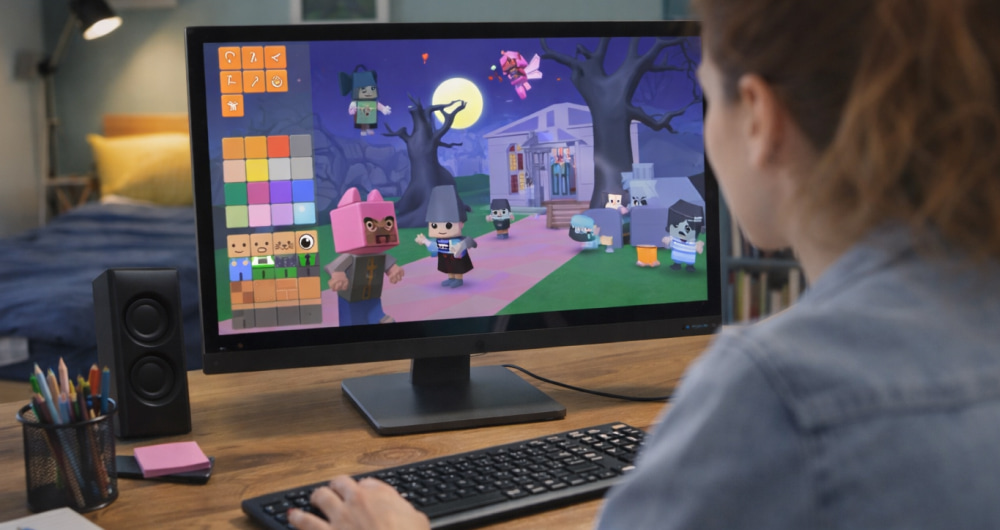
Download NowBlocksworld is a colorful 3D building sandbox where you assemble scenes from digital blocks, add logic, and share your creations with other players. Moving from a small touchscreen to a computer monitor changes the whole feel of the game: you see more details, control the camera more precisely, and can experiment with complex contraptions much faster. For many fans of sandbox building games, exploring Blocksworld on PC has become the easiest way to enjoy larger worlds, smoother performance, and precise keyboard and mouse controls.
Before you jump into building your first vehicle, city, or mini-game, it helps to understand how the game behaves on a desktop or laptop environment. Different hardware configurations influence frame rate, loading times, and how comfortably you can multitask with streaming, voice chat, or screen recording tools. With a bit of planning, you can turn your ordinary computer into a comfortable creative studio dedicated to building in Blocksworld.
Main Reasons to Play Blocksworld on a Computer
Running the game on a PC opens up new ways to approach creativity and productivity, especially if you like to share tutorials or collaborate with friends. Although the Blocksworld PC game looks friendly and colorful, it actually offers deep logic systems, interactive elements, and community creations that can easily keep you experimenting for hours.
- Bigger screen space: a large monitor helps you see small details in your builds and makes the interface easier to navigate.
- Better controls: mouse precision and keyboard shortcuts make building, rotating blocks, and adjusting logic much faster.
- Multitasking: you can keep a browser, chat app, or video guide open alongside the game.
- Recording and streaming: desktop tools allow you to capture timelapses, tutorials, or livestreams of your projects.
Playing on a computer turns Blocksworld from a casual time-killer into a full creative workshop, where your builds can grow from simple block towers into detailed interactive scenes.
Recommended PC Specifications for Comfortable Play
You do not need a top-tier gaming machine to enjoy Blocksworld, but stable performance makes building sessions more pleasant, especially in large or heavily scripted worlds. Use the following approximate requirements as a practical starting point if you are planning to play on a Windows desktop or laptop.
| Component | Minimum | Recommended |
|---|---|---|
| Operating system | Windows 10 (64-bit) | Latest 64-bit Windows with updated drivers |
| Processor (CPU) | Dual-core 2.0 GHz | Quad-core 3.0 GHz or better |
| Memory (RAM) | 4 GB | 8 GB or more for smooth multitasking |
| Graphics | Integrated graphics supporting basic 3D | Dedicated GPU for higher resolutions and effects |
| Storage | A few GB of free space on HDD | SSD space for quicker loading and saving |
| Internet connection | Stable basic connection | Fast, reliable connection for sharing creations |
On top of these specifications, remember to keep Windows updated, install the latest graphics drivers, and close unnecessary background programs before a long building session. This helps you avoid random slowdowns while working on complicated scenes.
Where and How to Get Blocksworld for Computer
Different regions and versions of the game may be offered through various platforms, so always prefer official storefronts or well-known launchers. Once you know your computer is ready, the next step is to pick a trusted storefront or platform that provides a clean Blocksworld download for PC so you avoid junk software and malicious files.
When you are ready to install, follow a clear step-by-step approach rather than rushing through dialogs. During the standard Blocksworld for PC download procedure, it is wise to keep your antivirus enabled and avoid running other heavy programs that might slow down the installer.
- Navigate to our fan website.
- Start the installation and wait until the progress bar is fully complete.
- Launch the game, then immediately open the settings menu to adjust graphics and controls.
After the first launch, it is useful to bind comfortable keys for moving, rotating blocks, and switching tools. A few minutes spent customizing hotkeys will save you a lot of time later when you start building more complex machines or animated scenes.
Free Offers, Trials, and Staying Safe
Many players look for promotional versions, bundles, or special events when they first try a creative game on desktop. If you are checking whether there is any version of Blocksworld free to download for PC, always confirm that the promotion comes from an official partner or well known digital store instead of random links in comments or forums.
Give preference to official trials, limited-time giveaways, or bundles from trusted platforms, because these options usually include automatic updates and proper support channels. Some players are tempted to search for a Blocksworld download for free for PC on unknown websites, but this shortcut can lead to corrupted saves, stolen accounts, or even serious security issues on your machine.
- Never disable your antivirus just to run an installer from an unverified site.
- Avoid downloads that ask you to install unrelated toolbars, “system boosters,” or browser extensions.
- Back up important files on your PC before installing anything from a new source.
- Use strong, unique passwords for your gaming accounts to protect your purchases and creations.
First Steps Inside the Game on a PC
Once everything is installed and running, take a moment to walk through the tutorial worlds using your mouse and keyboard, even if you already played on a mobile device. Camera sensitivity, movement speed, and building tools can feel different on a larger screen, and you will build more confidently once you are familiar with the interface and input options.
To make your first hours more productive, try the following simple projects tailored for computer controls:
- Build a small house with working doors and windows to practice precise block placement.
- Create a basic vehicle with functional wheels and controls mapped to keyboard keys.
- Experiment with logic blocks to build a simple puzzle that reacts to player actions.
- Record short clips or take screenshots of your creations to share on social platforms or with friends.
Conclusion: Turning Your PC Into a Blocksworld Studio
Playing Blocksworld on a computer is about more than just better graphics; it is about turning the experience into a full creative workflow. With comfortable performance, safe installation practices, and well-tuned controls, your PC becomes a powerful space for designing, testing, and sharing elaborate builds with the community. Taking time to prepare your system and learn the interface will pay off in smoother sessions and more ambitious projects, whether you are building for fun, creating tutorials, or collaborating on large shared worlds.